0.0 Context
Overview We created this wiki as an additional resource to our book, Critical Web Design. Here you will find essential links from the book, especially in the "What You'll Make" sections for each chapter. You will also find additional images (overflow from what we wanted to print in the book) and exercises to take students/readers even further in their journey. This wiki is not a replica of the book, and should be used as a companion to reading and making.
Context
Section titled “Context”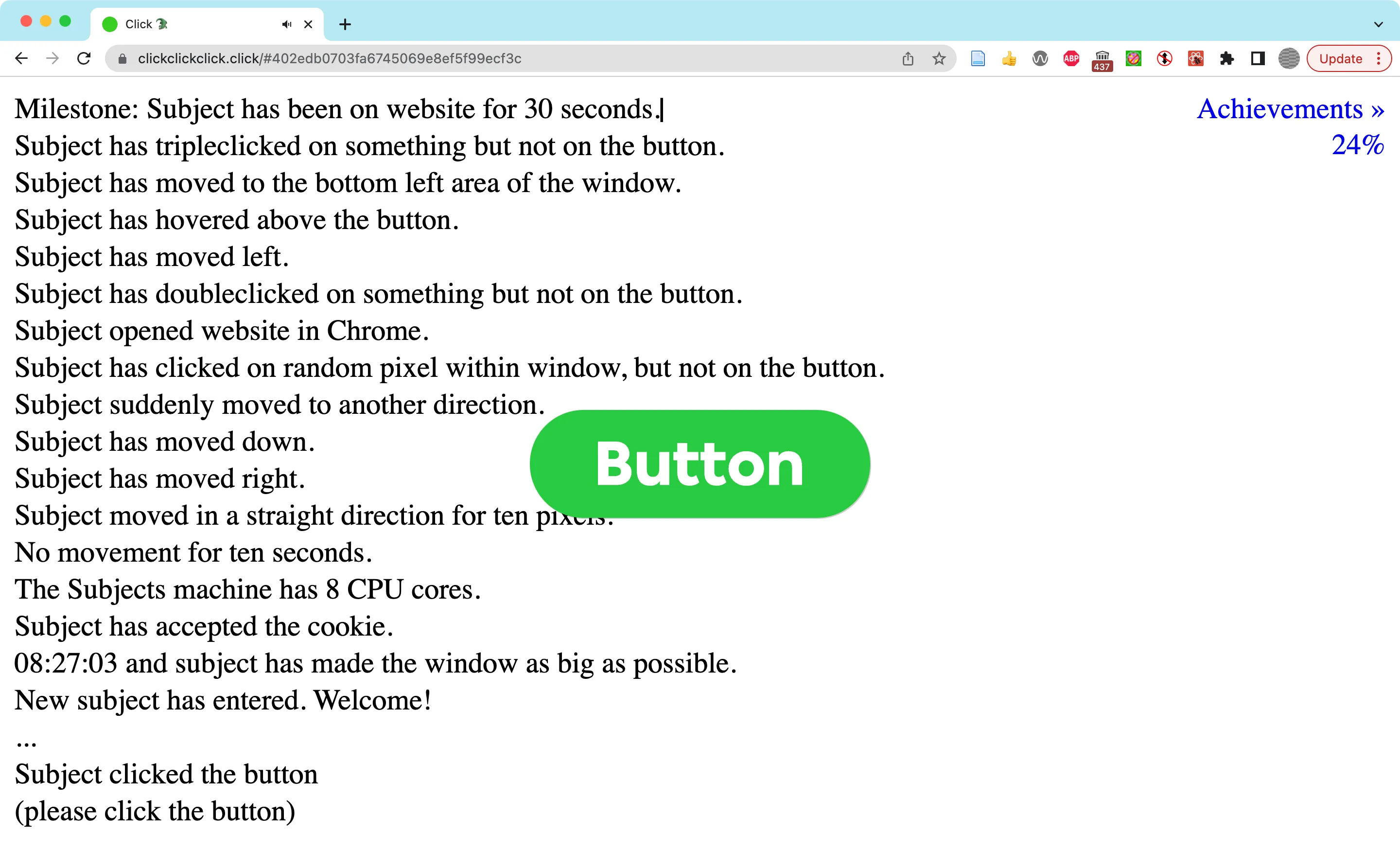 The website, clickclickclick.click is an example of critical web design. It presents a simple button when it loads. Then a recorded voice and text in the interface slowly informs the user that their actions are not only being recorded, but measured, scored, and represented as achievements.
0.1 How This Book Is Organized
Section titled “0.1 How This Book Is Organized”- Context
- Modules
- Active Learning
- Teaching Guide
- Chapter Summaries (see individual chapters)
0.2 Technical Requirements
Section titled “0.2 Technical Requirements”- Install Chrome Web browser: https://www.google.com/chrome
- Create a Github account https://github.com
- Create a Figma account and install the desktop app https://figma.com
- (optional) Install VS Code editor: https://visualstudio.microsoft.com/downloads
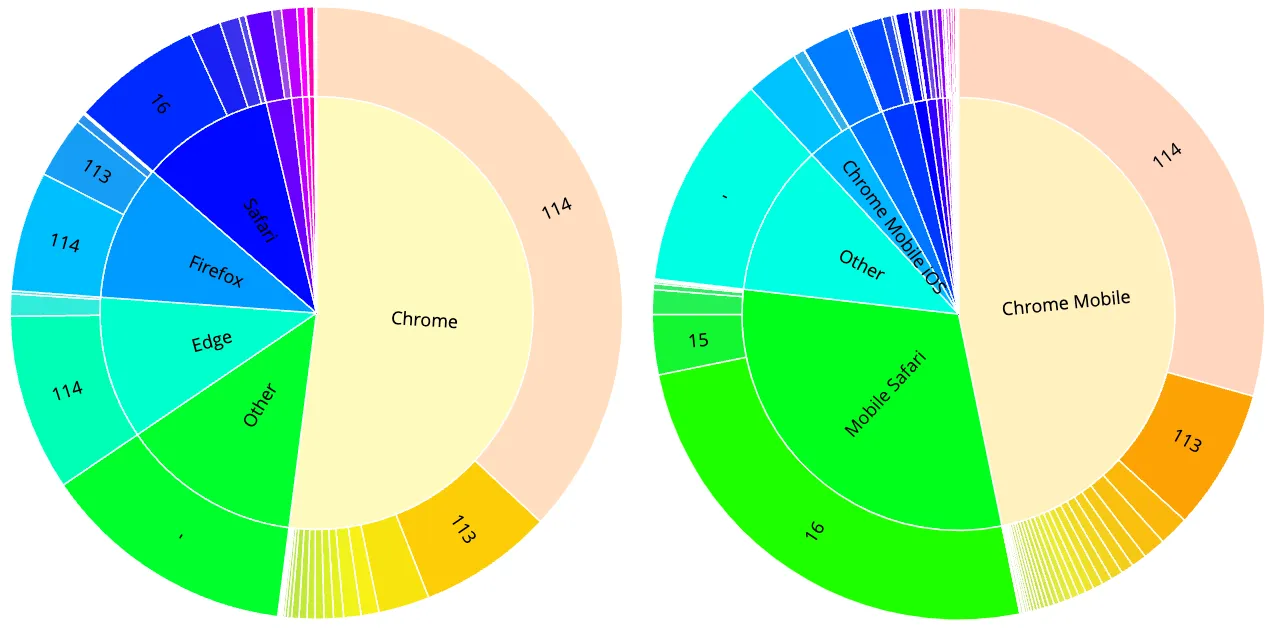 Wikimedia Foundation User Agent Breakdown by desktop (left) and mobile (right)
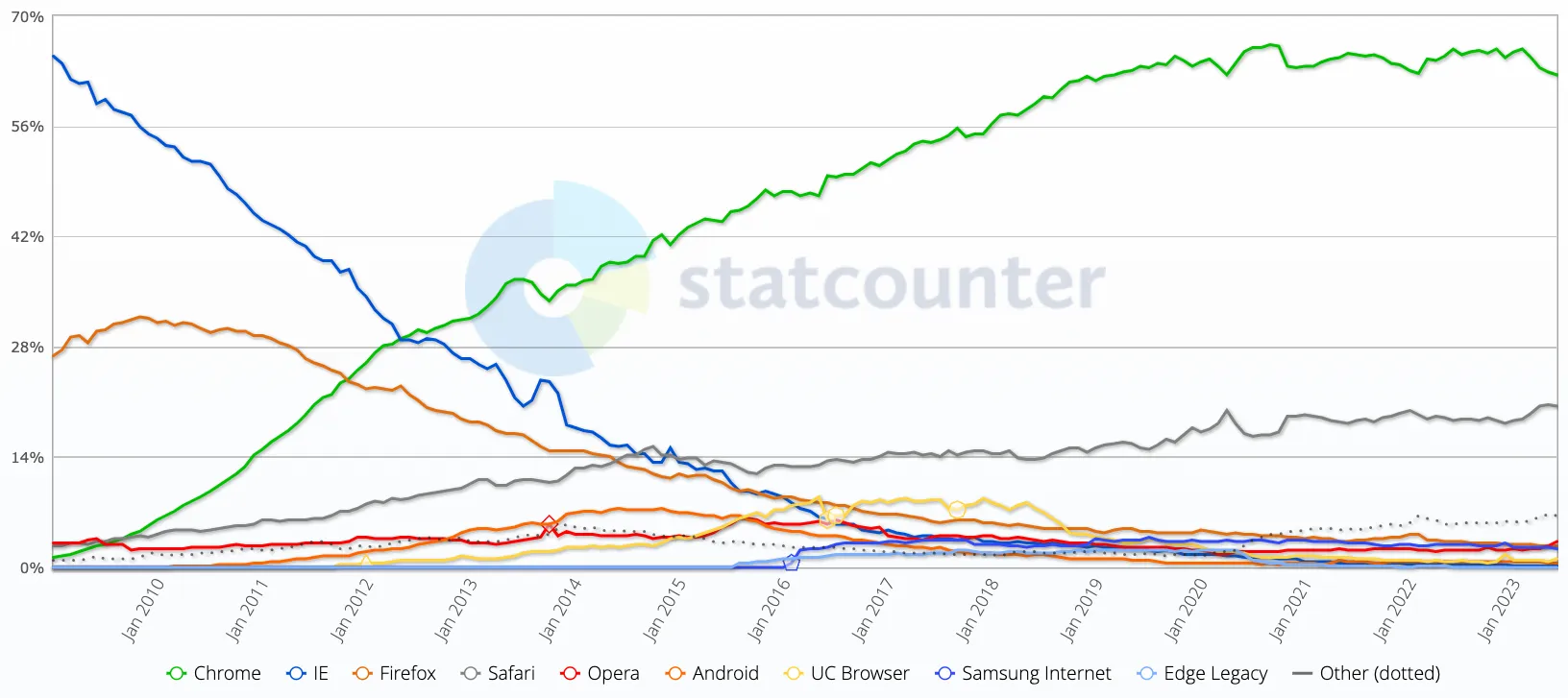 Statcounter Browser Market Share Worldwide Jan 2009 - June 2023”
0.3 Conventions and Resources
Section titled “0.3 Conventions and Resources”Find all Critical Web Design book examples and exercise assets in the Github repository. Including…
- An Errata with information about and submitting errors
- A Wiki with additional resources
- Discussions where you can share your work and see what other readers have created.
 A tongue in cheek post on the plethora of and speed at which web frameworks change
Aside Style Guide
Section titled “Aside Style Guide” Excerpt A short summary of each article.